AI agent by Zumy
Vega
Vega helps you do.
Give it a goal. Get back finished work.
Describe a job in a sentence. Vega writes a plan, works through it step by step where you can watch, and hands you finished files: slide decks, documents, spreadsheets, websites, images and video.
Available soon on
Vega is in development. Get one email when it launches.
What it does
What you can do with Vega
01
Plans before it acts
Each job becomes a short plan you can read and change before work starts.
02
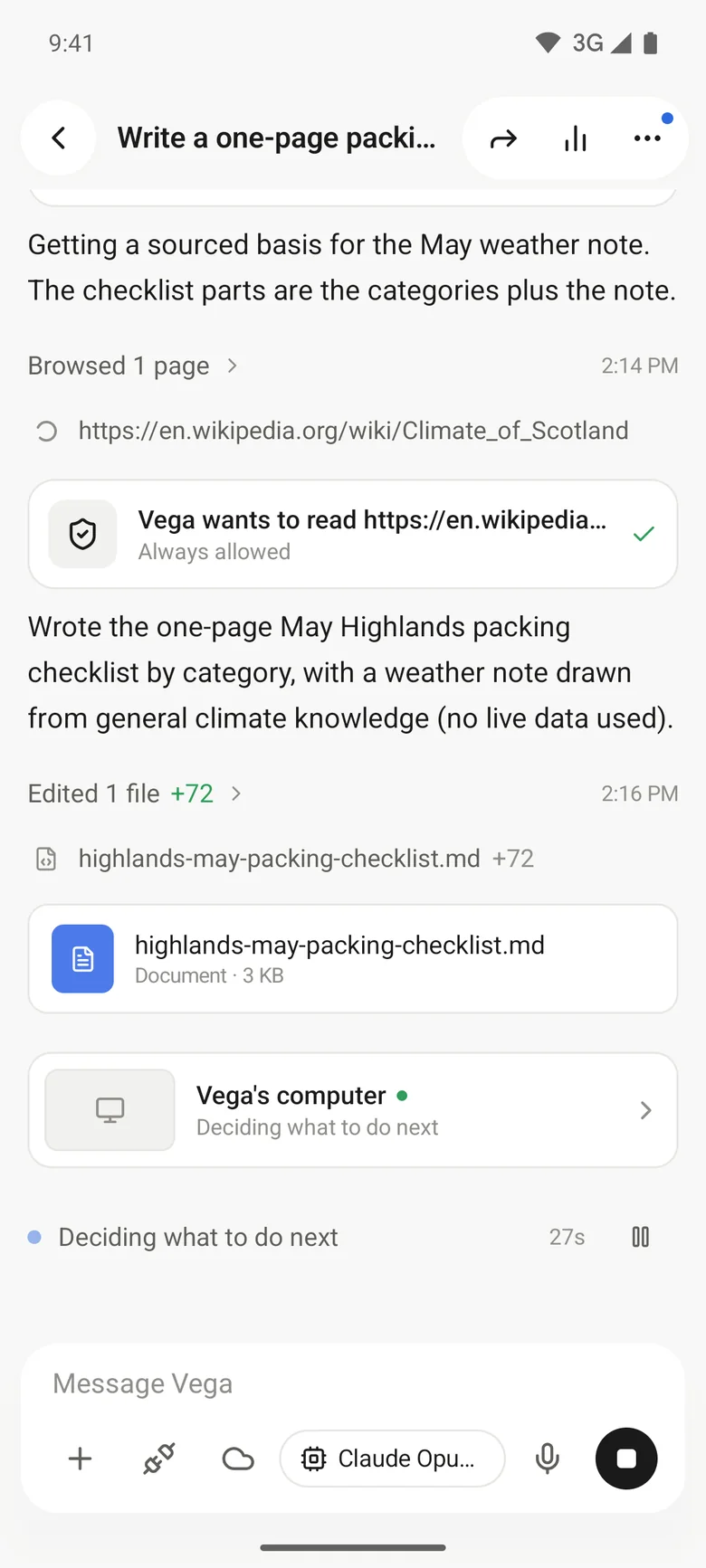
Watch it work
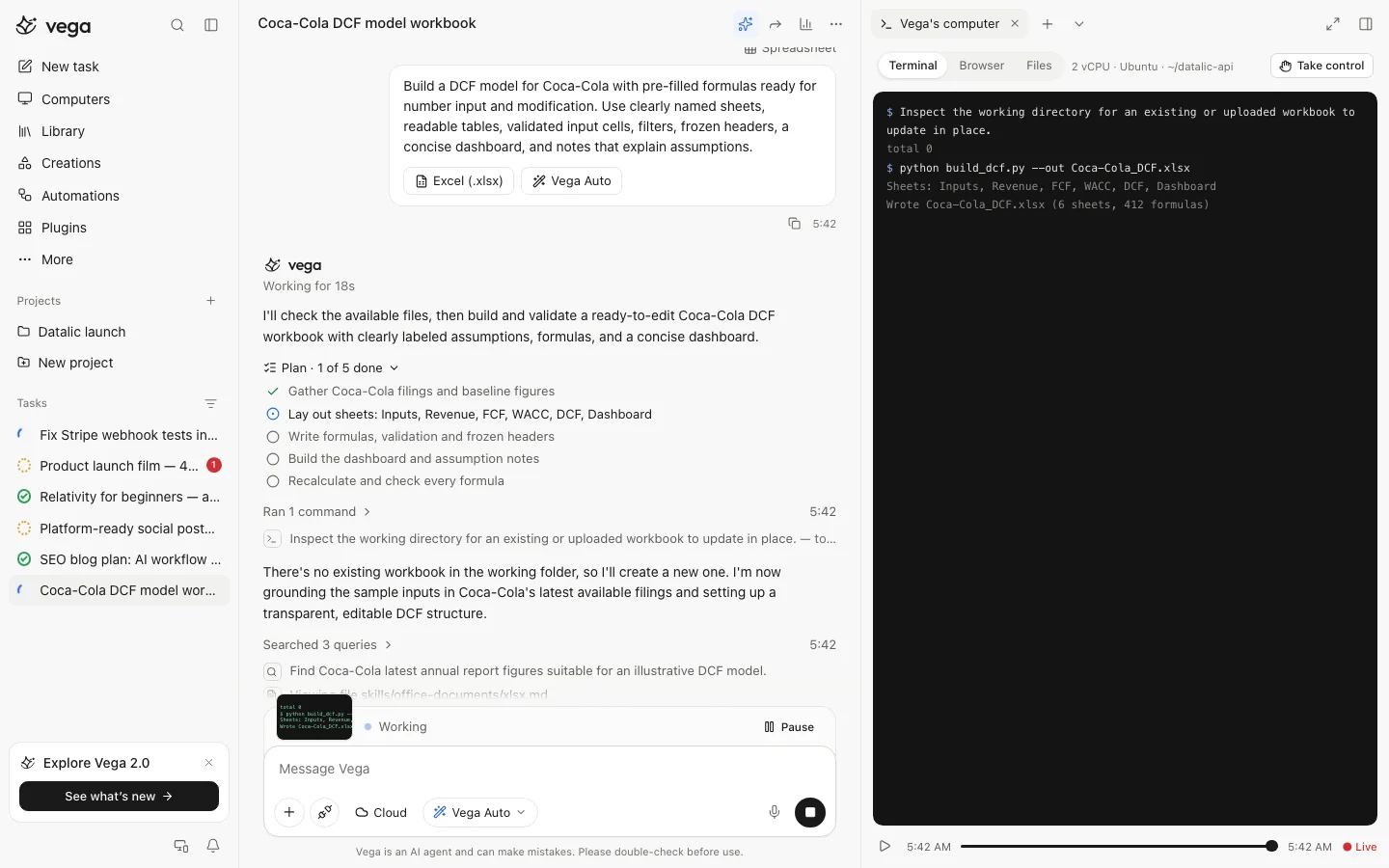
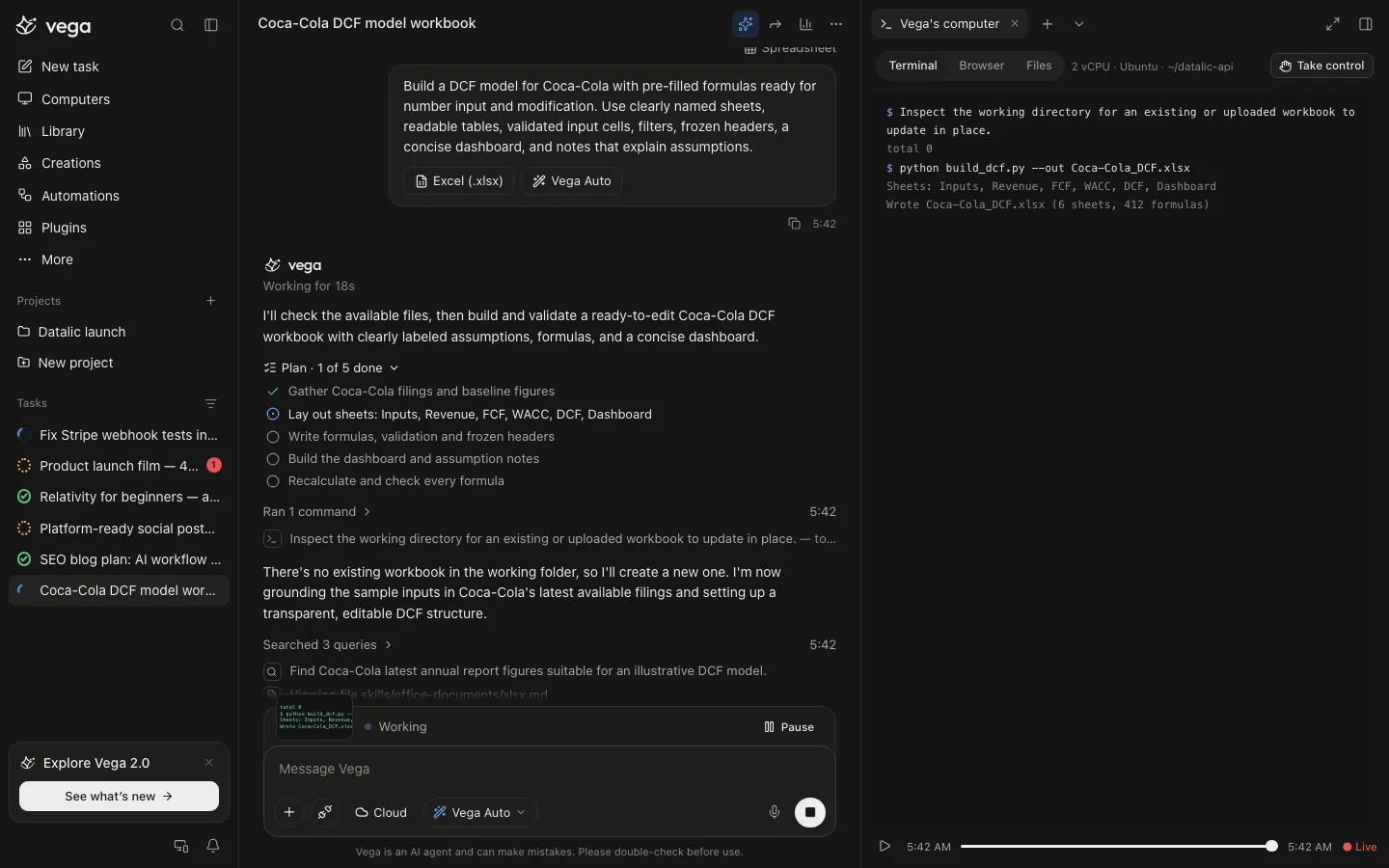
Follow every step in Vega's computer: terminal, browser and files. Take control whenever you like.
03
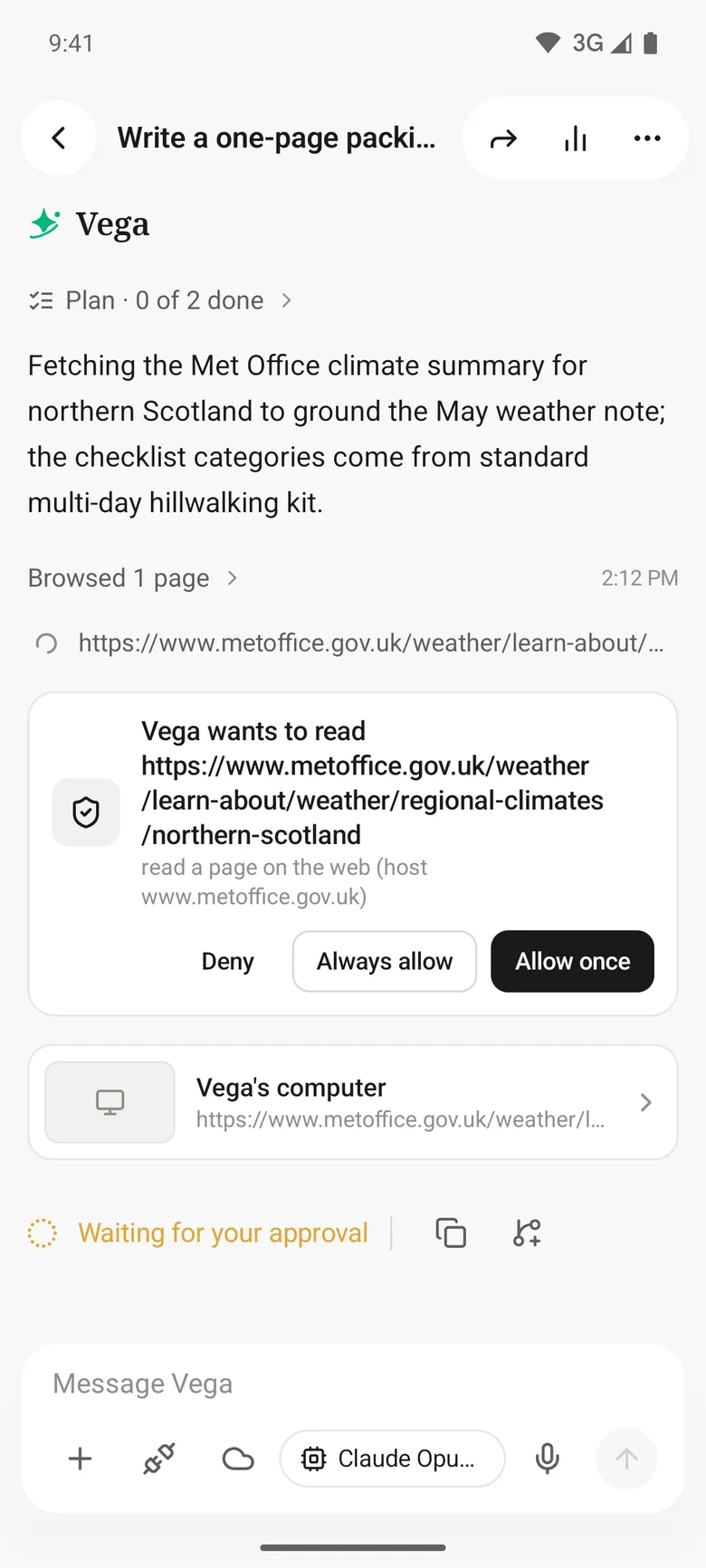
Asks before risky steps
Before it pushes code, sends something or spends money, Vega asks: deny, allow once, or always allow.
04
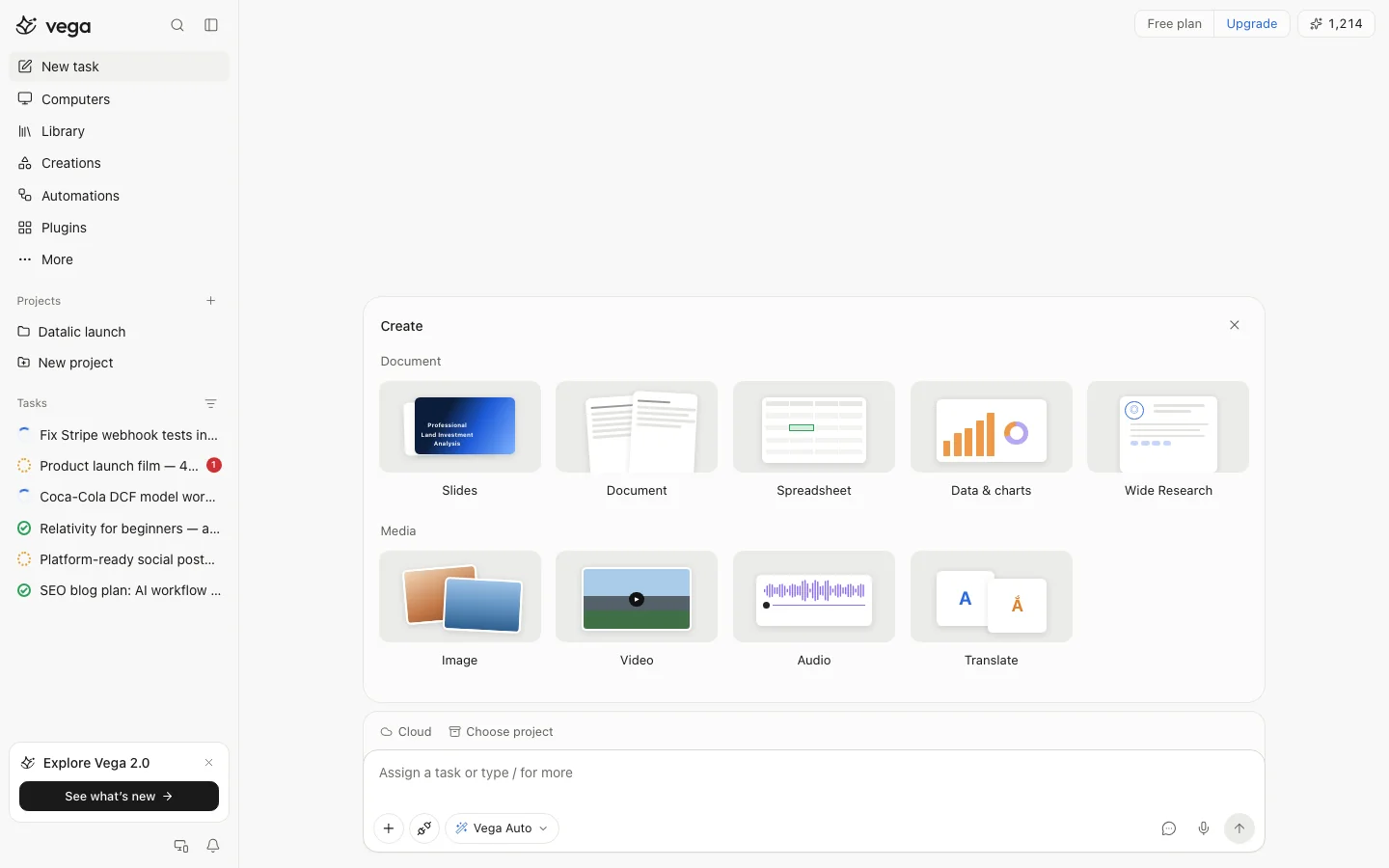
Real files back
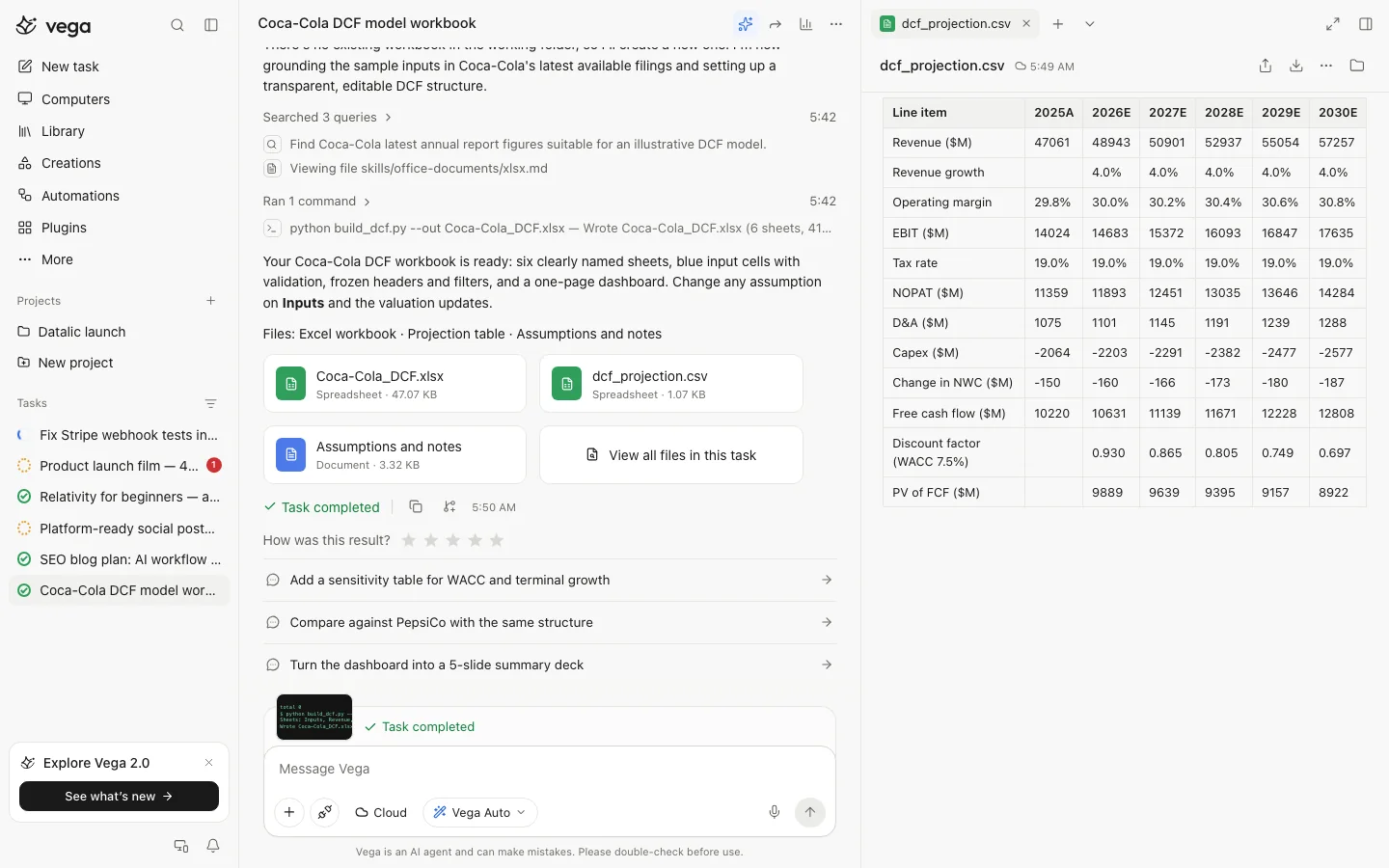
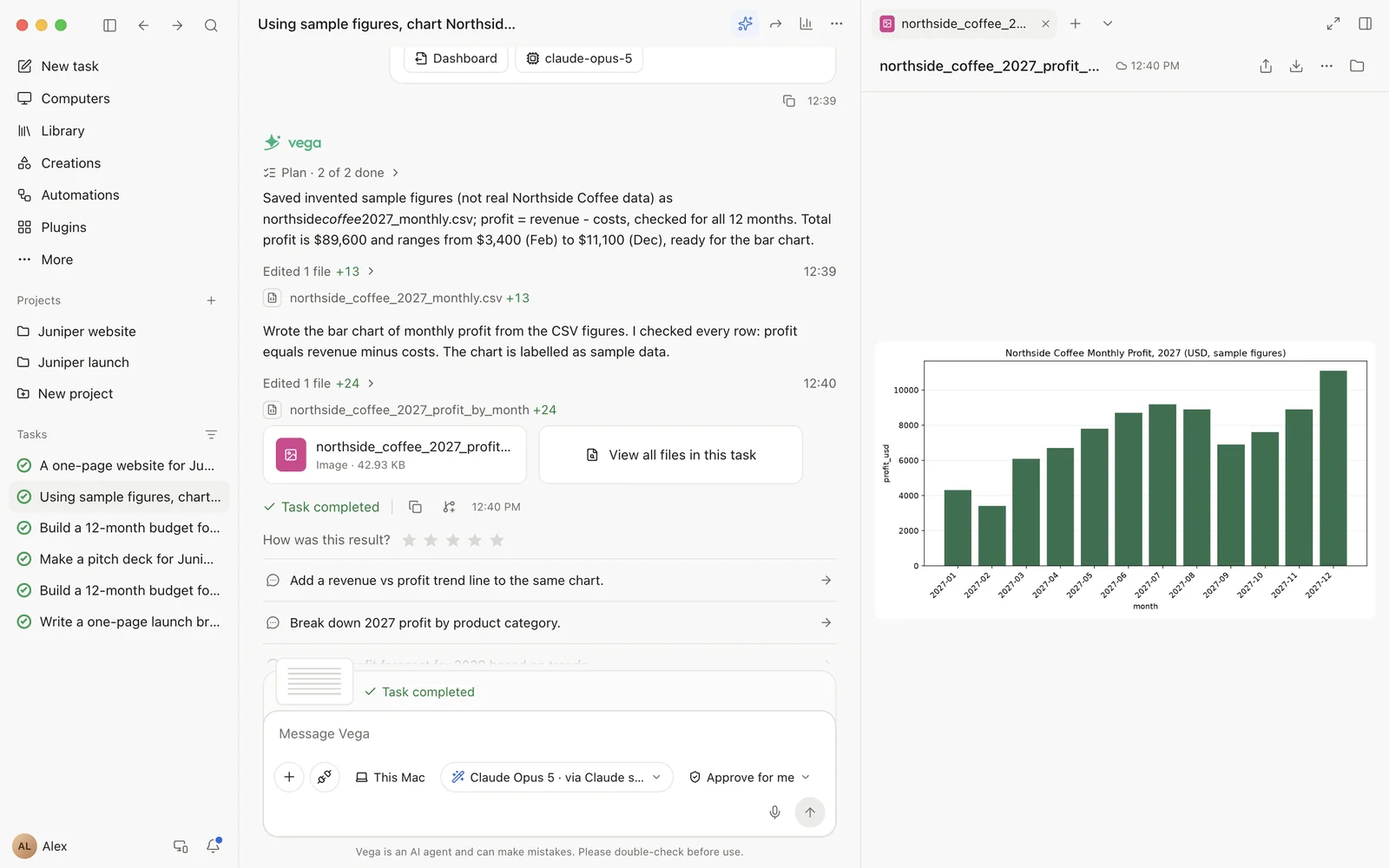
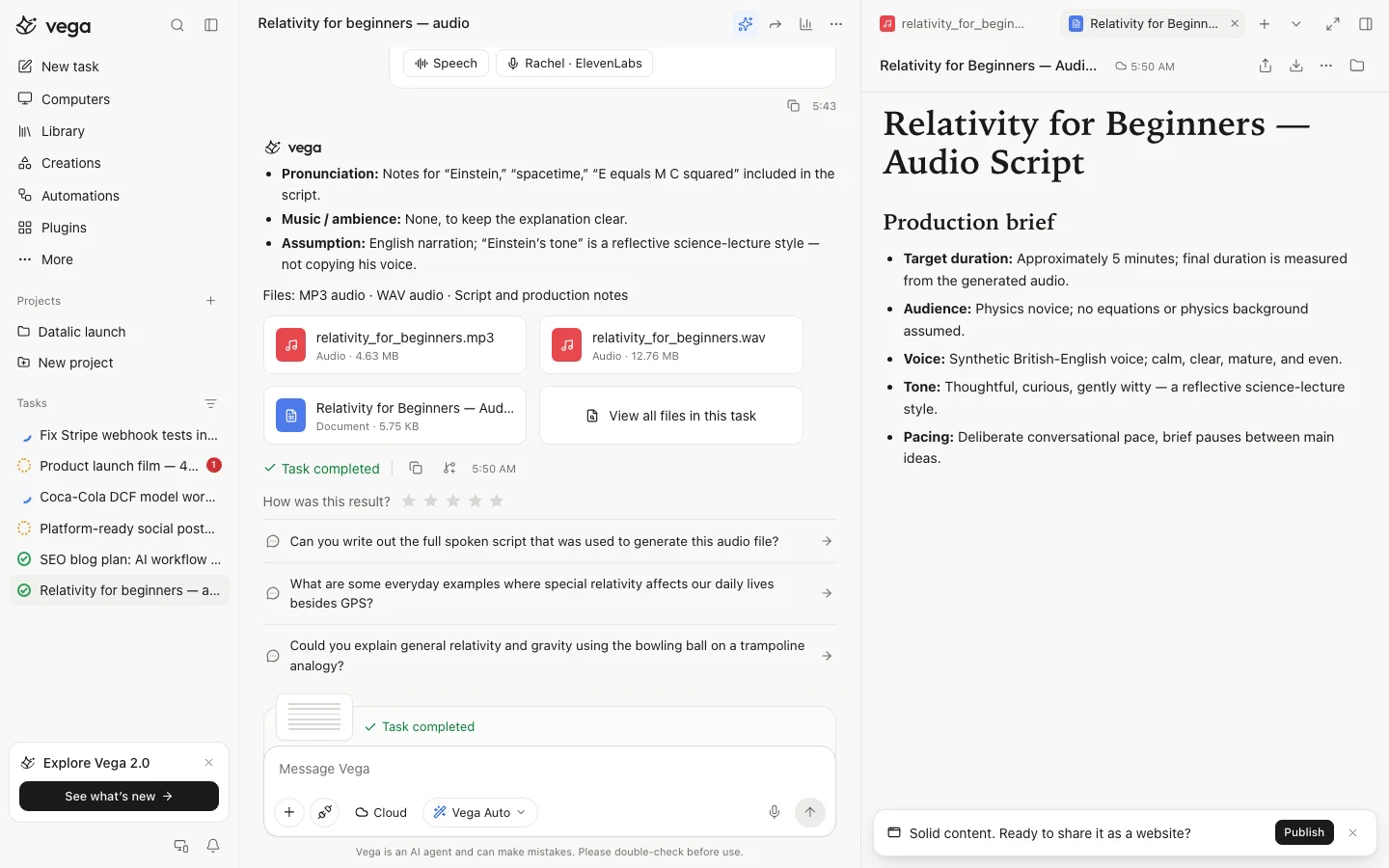
Slide decks, documents, spreadsheets with working formulas, charts, research reports, images, video and audio.
05
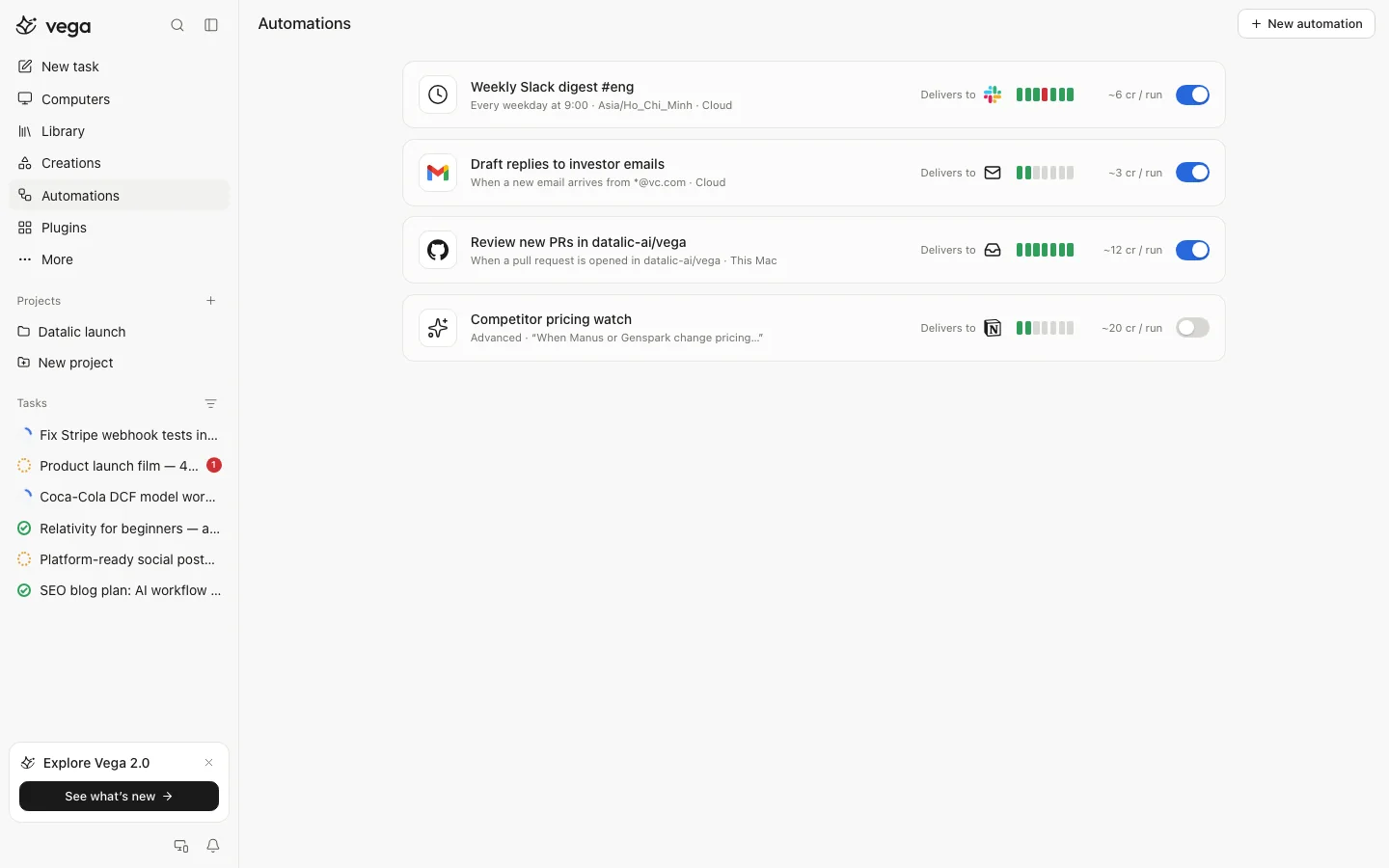
Runs on its own
Automations run on a schedule or when something happens, like a new email or a pull request.
06
Connects to your tools
Gmail, Google Calendar, GitHub, Zapier, Make, Metabase, ElevenLabs and more, only when you connect them.
Screens
See Vega in action
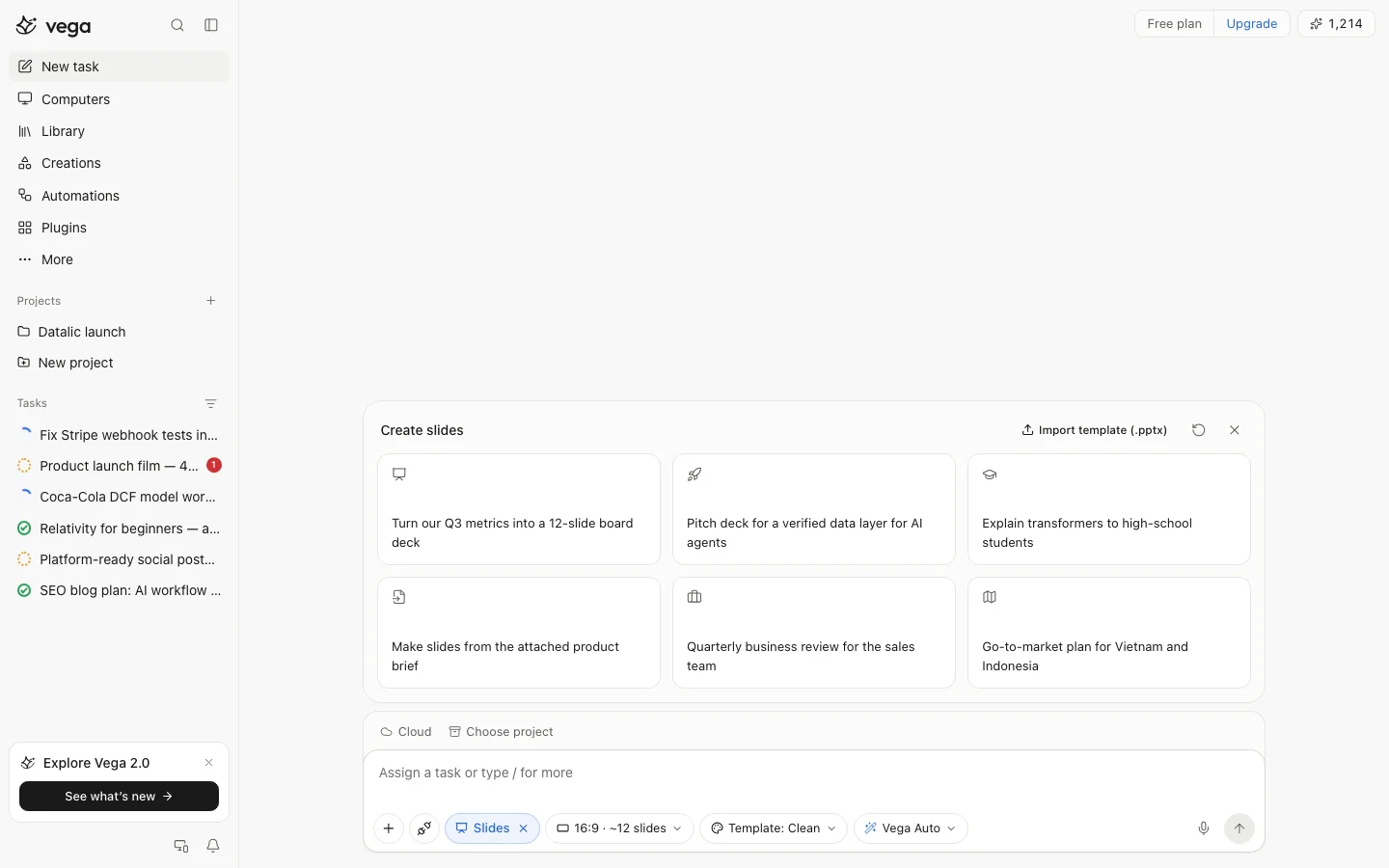
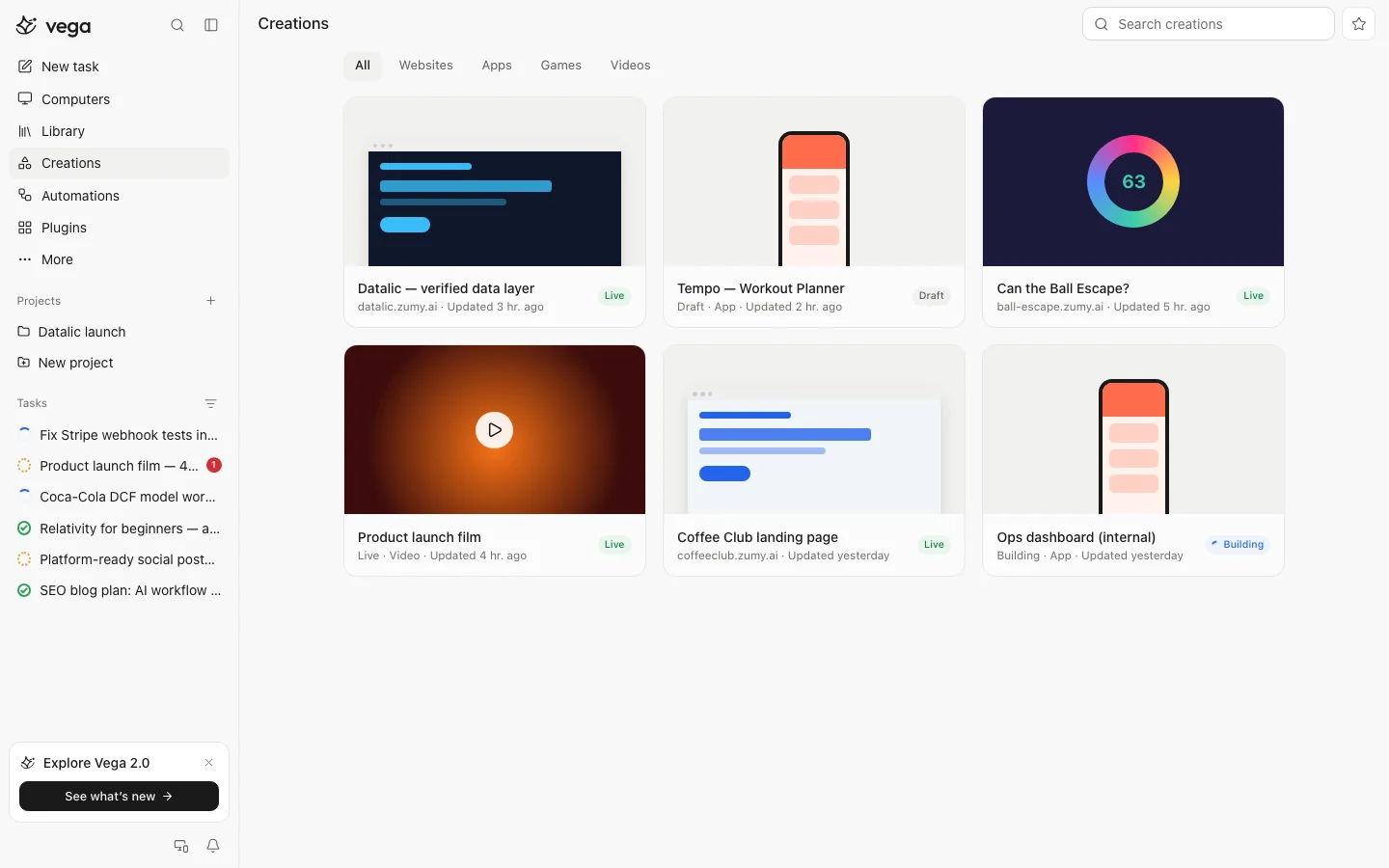
From the current build of Vega, with sample content. Scroll sideways for more.
How it works
Three steps
- 1
Describe the job
Write it the way you would to a capable colleague ("Assign a task or type / for more"). Attach files if they help.
- 2
Approve the plan
Vega breaks the job into steps. Edit any step, or just say go.
- 3
Get the files
Download the result, share a link, or ask for changes.
What it makes
Ask for the result, not the steps
Build
- Website
- Code in a repo
- Chatbot
- Browser extension
- Automation
- Data notebook
Documents
- Slides
- Document
- Spreadsheet
- Data and charts
- Wide Research
Media
- Image
- Video
- Audio
- Translate
Control
You stay in charge
Every task starts with a plan you can read and edit.
Vega asks before steps that push, send or spend.
Step into Vega's computer at any point, or stop the task.
Tasks use credits, and your usage is listed in Settings. New workspaces start with 300 free credits.
Plans
Free to start
Free
300 credits
Every new workspace starts with 300 credits to try Vega on real work.
Paid plans
Coming at launch
More credits each month for bigger and scheduled tasks.
Paid plans will be announced at launch, with prices shown before you buy.
Platforms
Where you can use Vega
| Platform | Requires | Get it |
|---|---|---|
| Web | Any modern browser | Coming soon |
| Mac | Desktop app, works with local folders | Coming soon |
| Windows | Planned | Coming soon |
| Linux | Planned | Coming soon |
| iPhone | Planned | Coming soon |
| Android | Planned | Coming soon |
Questions
Good to know
Something else? Write to support@zumy.ai.
What kind of work can Vega do?
Research, analysis, writing, slide decks, spreadsheets, documents, simple websites, code changes and repeatable reports.
Can Vega make mistakes?
Yes. Vega is an AI agent and can make mistakes, so please double-check its work before you use it. Every step it took is there for you to review.
Can it use my accounts?
Only the services you connect, only for the tasks you start, and it asks before anything that sends messages or spends money. You can disconnect a service at any time.
How is Vega priced?
Tasks use credits. New workspaces start with 300 free credits, and your usage is listed in Settings.
Can tasks run without me?
Yes. Automations run on a schedule or when something happens, and deliver the result where you choose.
Which languages does Vega speak?
You can write to Vega in any language. The app is available in English, German, Spanish, French and Vietnamese.
Help and privacy for Vega
Support, how Vega handles your data, and account deletion, all in one place.