AI browser by Zumy
Sola
Sola helps you explore.
Browse at the speed of thought.
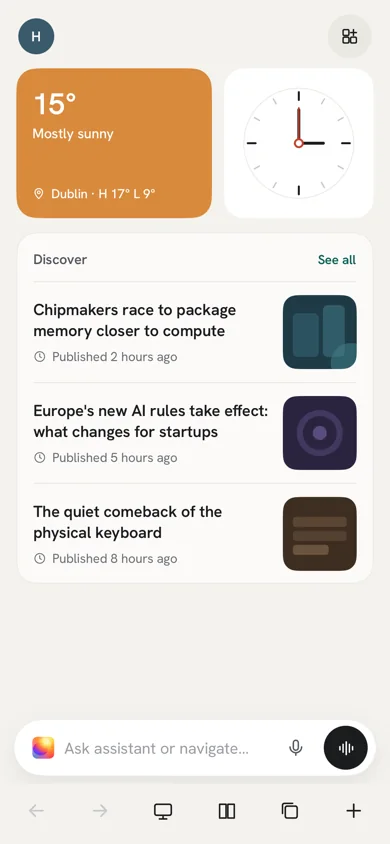
A fast, private browser with an assistant built in. Ask about any page or your open tabs, get answers with numbered sources, and hand off the busywork. Sola asks before it pays, sends or deletes anything.
Available soon on
Sola is in development. Get one email when it launches.
What it does
What you can do with Sola
01
Ask about any page
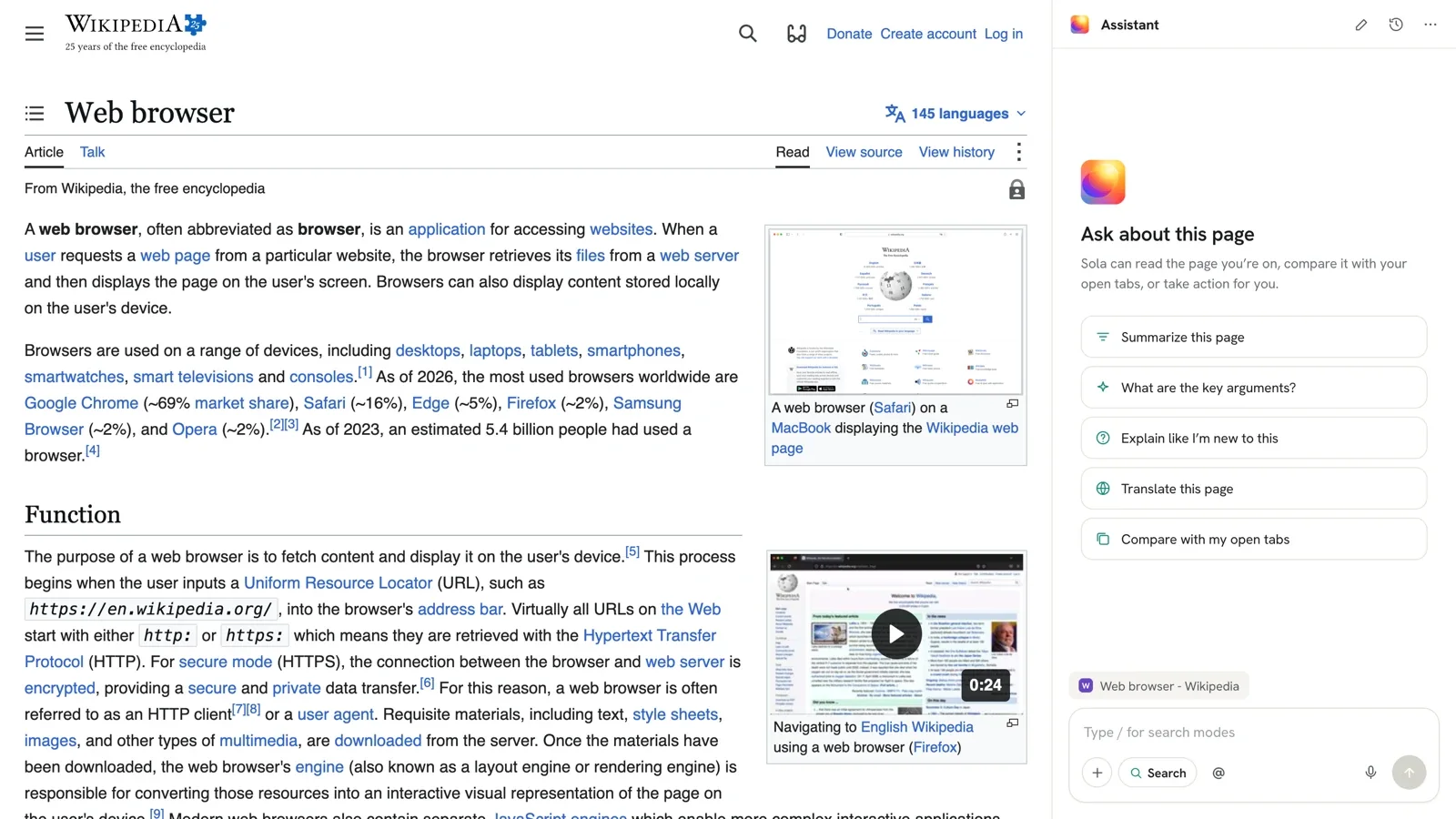
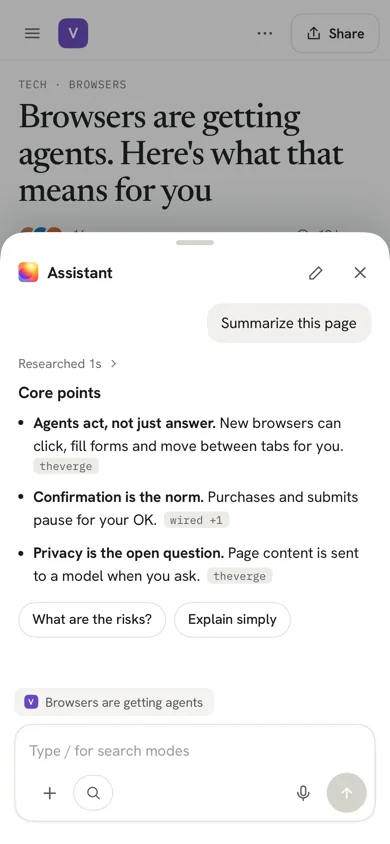
Open the Assistant beside any site with ⌥Space. Explain, summarize, translate, rewrite or fact-check what you are reading.
02
Answers with sources
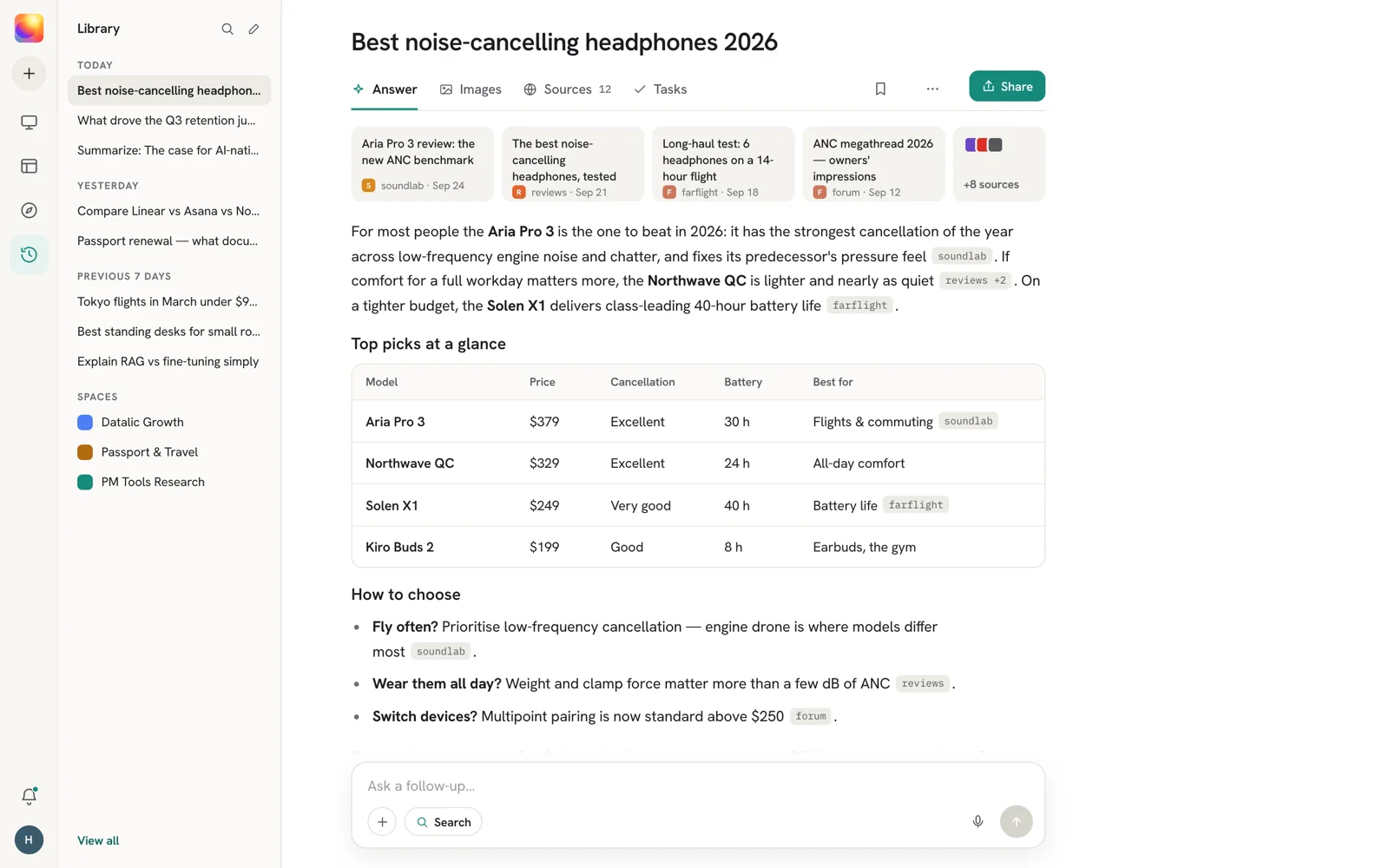
Search the way you would ask a person. Every answer shows the steps it took, numbered sources you can open, and related questions.
03
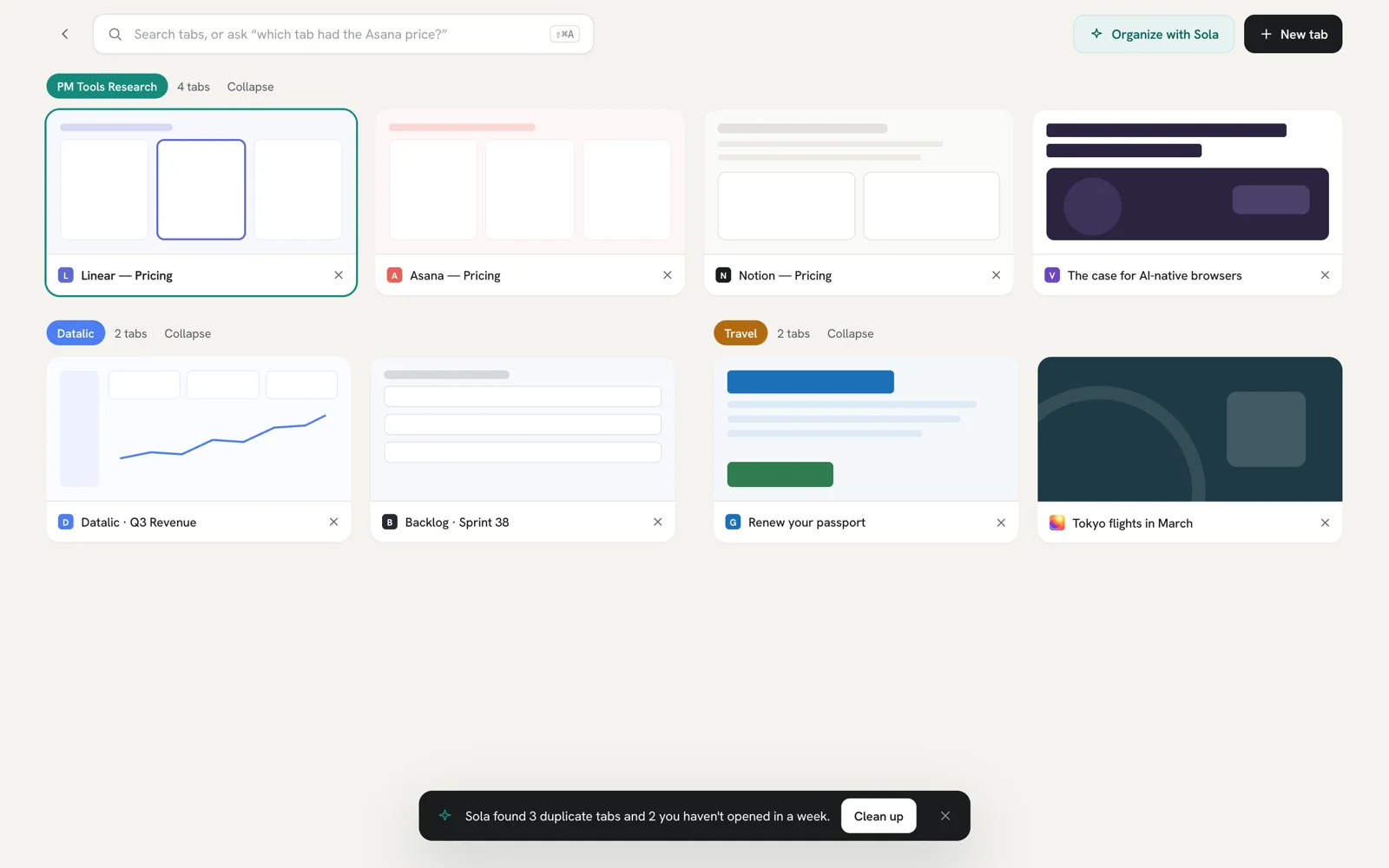
Compare your tabs
Type @ to bring other tabs into the question, like three pricing pages at once.
04
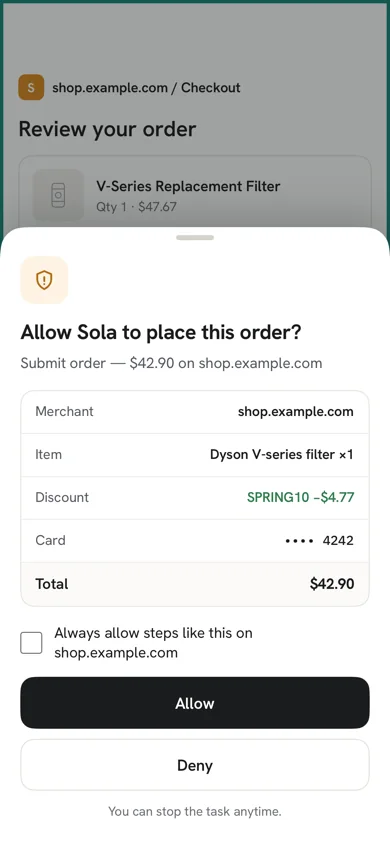
Hand off the busywork
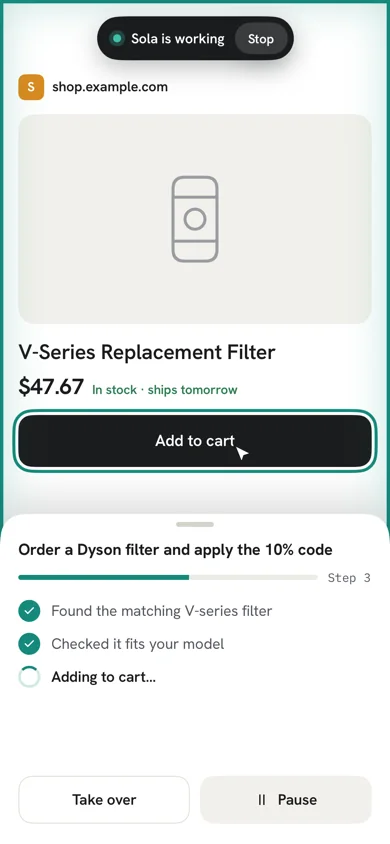
In Computer mode Sola clicks, types and fills in forms for you. It asks before it pays, sends or deletes, and you can take over or pause at any time.
05
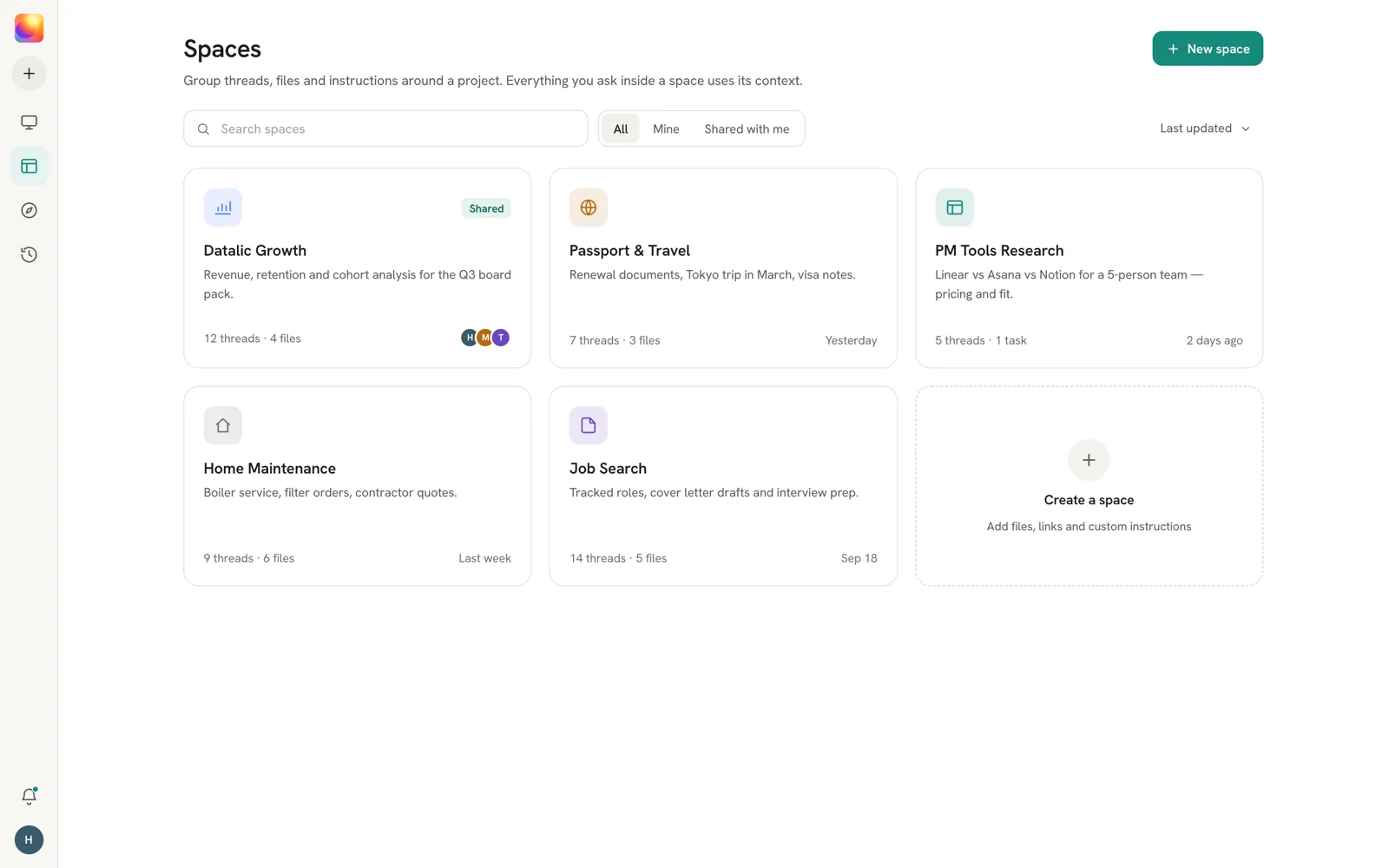
Spaces and Library
Upload files and get answers that cite them. Keep research together in a space and share it with the people you work with.
06
Bring your browser
Import bookmarks and history from Chrome, Edge, Brave, Arc, Safari or Firefox. Chrome Web Store extensions work on desktop.
How it works
Three steps
- 1
Browse as normal
Use Sola like any browser. Nothing changes until you need help.
- 2
Ask
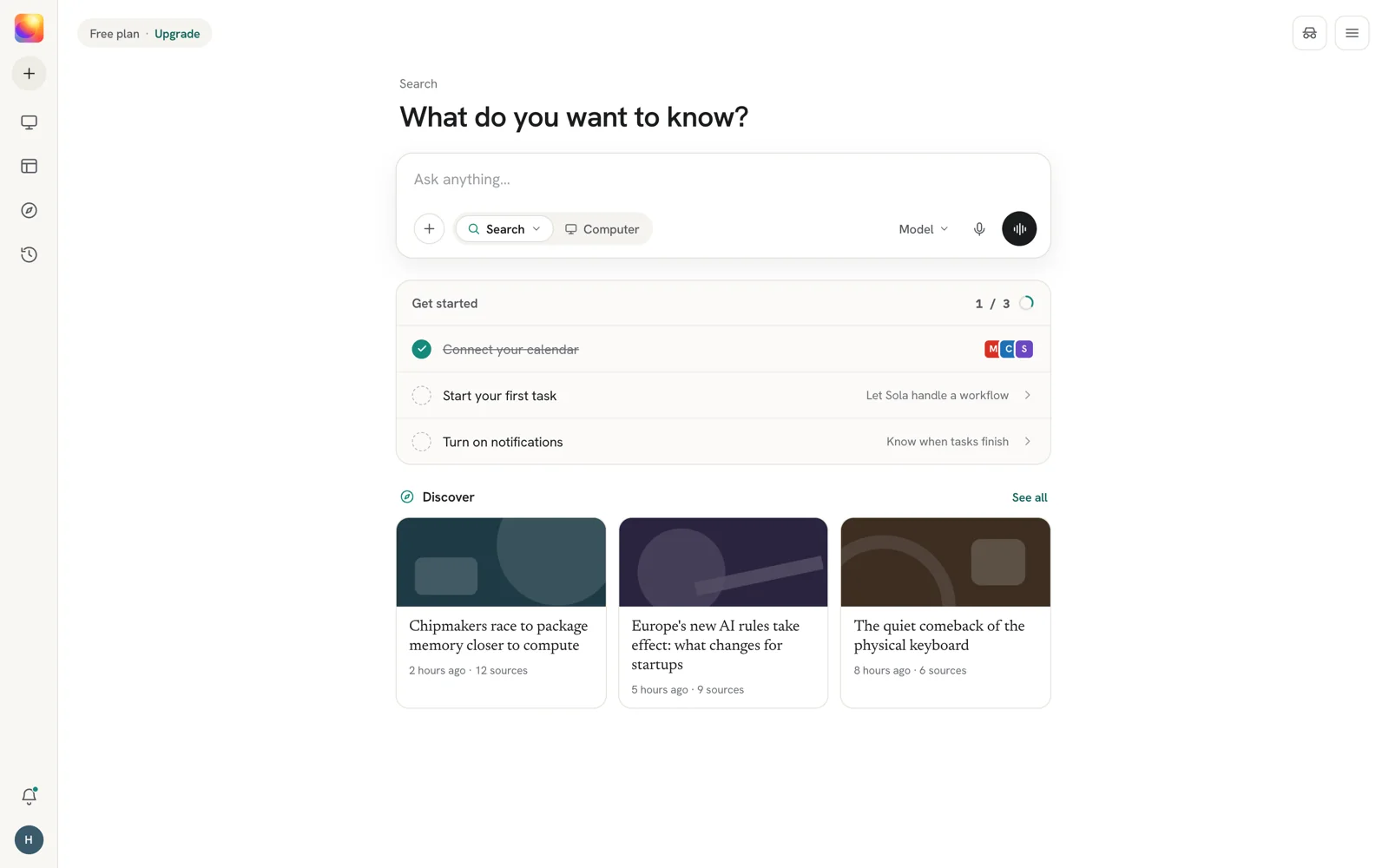
Type in the address bar ("Ask anything or navigate…") or press ⌥Space to open the Assistant beside the page.
- 3
Check and act
Read the answer, open the sources, or let Sola take the next steps for you.
Privacy
Private by design
Page content is shared with the Assistant only when you ask a question about it.
Page text is sent to answer your question and is not stored in our logs.
Purchases, sending messages and deleting always ask you first. Sola never saves your card details.
AI chats in incognito windows are not saved.
Sign-in tokens are encrypted on your device, in the iOS Keychain and the Android Keystore on phones.
Gemini, Lens and Google Translate are turned off. Sola Translate is used instead.
Plans
Free to use
Free
Search, the Assistant, Computer mode and Spaces, with daily limits.
Sola Pro
Coming at launch
More research, stronger models and bigger spaces.
Pricing for Pro will be announced at launch and shown in the app before you buy.
Platforms
Where you can use Sola
| Platform | Requires | Get it |
|---|---|---|
| Mac | macOS desktop app | Coming soon |
| iPhone and iPad | iOS 18 or later | Coming soon |
| Android phones and tablets | Android 8.0 or later | Coming soon |
| Windows | Planned | Coming soon |
| Linux | Planned | Coming soon |
Questions
Good to know
Something else? Write to support@zumy.ai.
Is Sola free?
Yes. The browser and the Assistant are free with daily limits. Sola Pro will add more research, stronger models and bigger spaces, and its price will be shown before you buy.
Does the Assistant read everything I browse?
No. Page content is shared with the Assistant only when you ask about it. AI chats in incognito windows are not saved.
Can Sola buy things for me?
Only with your approval. Before any purchase Sola shows the merchant, item and total and waits for you to allow it. You can stop a task at any time, and Sola never saves your card details.
Which AI models does Sola use?
Sola Auto picks a model for each question. You can also choose one yourself, including Claude, GPT and Gemini.
Can I bring my bookmarks and history?
Yes. Sola imports from Chrome, Edge, Brave, Arc, Safari and Firefox when you first set it up.
Do Chrome extensions work?
Yes, on desktop. Sola is built on Chromium, so extensions from the Chrome Web Store install as usual.
Help and privacy for Sola
Support, how Sola handles your data, and account deletion, all in one place.